Analysis Settings
The Analysis Settings panel (left side, below the toolbar) sets the assumptions used for every simulation. Review it before running an analysis. When you change a value, the current result recalculates.
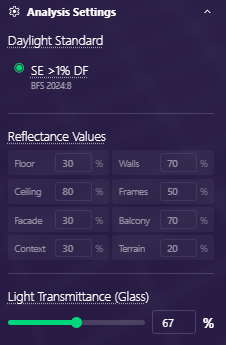
- Daylight Standard: the Swedish regulation (SE >1% DF, BFS 2024:8) is the only option in the web tool. Other standards (Norway, Denmark) are available in LUX.
- Reflectance Values: fixed defaults per surface — Floor 30%, Walls 70%, Ceiling 80%, Frames 50%, Facade 30%, Balcony 70%, Context 30%, Terrain 20%. Project-specific reflectances are available in LUX.
- Light Transmittance (Glass): fraction of light the glazing lets through. Default 67%. Adjust the slider to match your specified glass.